1080P Security Camera 4-in-1 HD CCTV Bullet Wired Cam, AHD/TVI/CVI/CVBS, Anal…
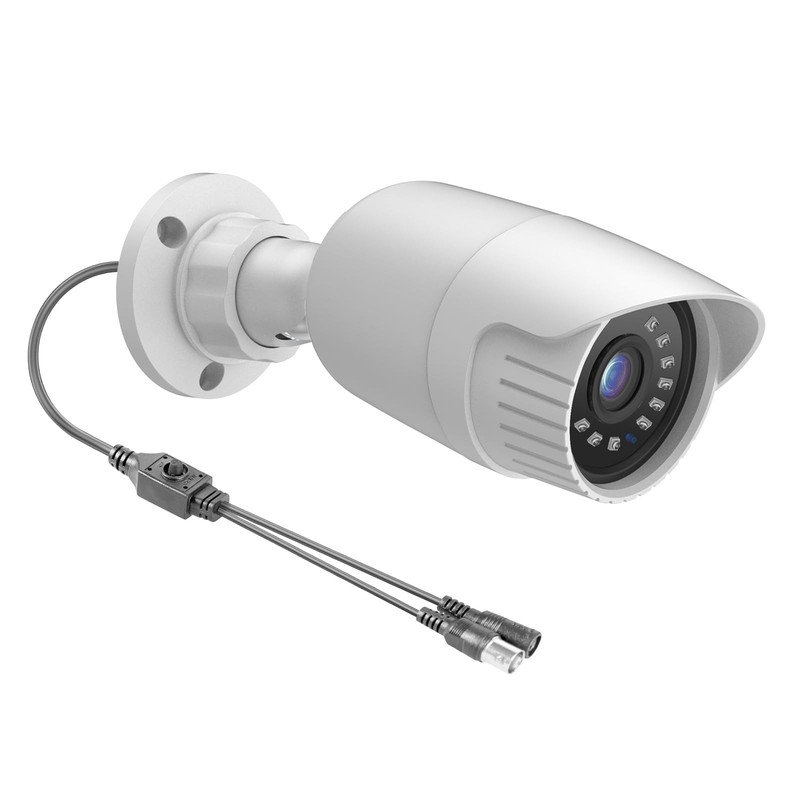


1080P Security Camera 4-in-1 HD CCTV Bullet Wired Cam, AHD/TVI/CVI/CVBS, Anal...
USD 29.84 USD
Long press OSD "LEFT" button for 5 seconds → AHD mode. Long press OSD "UP" button for 5 seconds → CVBS mode. Video output: HDCVI/HDTV/AHD/CVBS (optional). The default video mode is 960H mode. No need press the cable button.
Specifications
| Connectivity Technology | Wired |
| Included Components | Camera |
| Viewing Angle | 95.0 |
| Resolution | 1080P |
| Model Name | 4-In-1 Wired Cam |
| Brand | Cqh |
| Control Type | Remote Control |
| Audio Visual Recording Capabilities | Video |
| Zoom Type | Digital Zoom |
| Low Light Technology | Night Color |
| Frame Rate | 25 Frames Per Second |
| Connectivity Protocol | Wi-Fi |
| Size | Bullet |
| Installation Type | Screw In |
| Specific Uses For Product | Surveillance |
| Night Vision Range | 100.0 |
| Color | White |
| Video Capture Format | Mp4 |
| Maximum Range | 100.0 |
| Indoor Outdoor Usage | Indoor, Outdoor |
| Item Shape | Bullet |
| Video Capture Resolution | 1080P |
| Model Number | Wfsx20Hy200X |
| Output Type | Composite |
| Wireless Communication Technology | Wi-Fi |
| International Protection Rating | Ip66 |
| Weather Resistance Description | Weatherproof |
| Power Source Type | Corded Electric |
| Material | Metal |
| Unit Count | 1.0 |
| Form Factor | Bullet |
| Package Dimensions LxWxH | 6.3x4.29x3.23 Inches |
| Weight | 0.77 Pounds |
Long press OSD “LEFT” button for 5 seconds → AHD mode. Long press OSD “UP” button for 5 seconds → CVBS mode. Video output: HDCVI/HDTV/AHD/CVBS (optional). The default video mode is 960H mode. No need press the cable button.