Motorola Focus89 Wireless Indoor Camera for Home Security Surveillance System


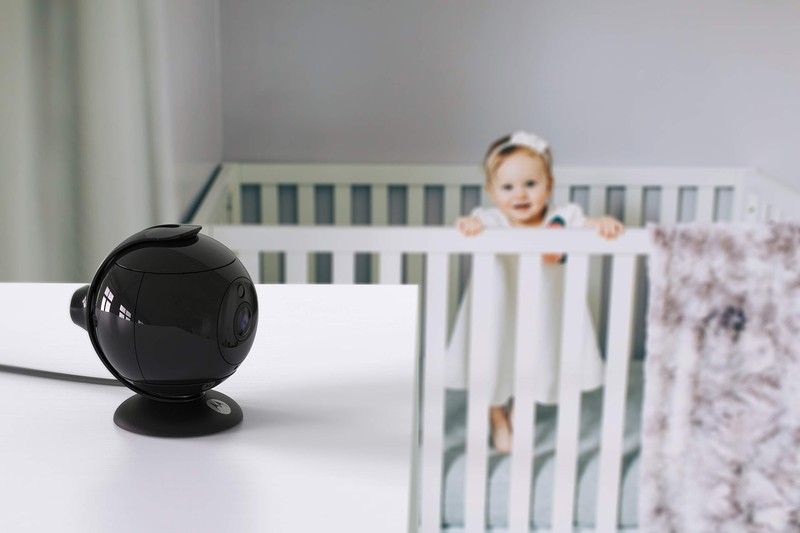
Motorola Focus89 Wireless Indoor Camera for Home Security Surveillance System
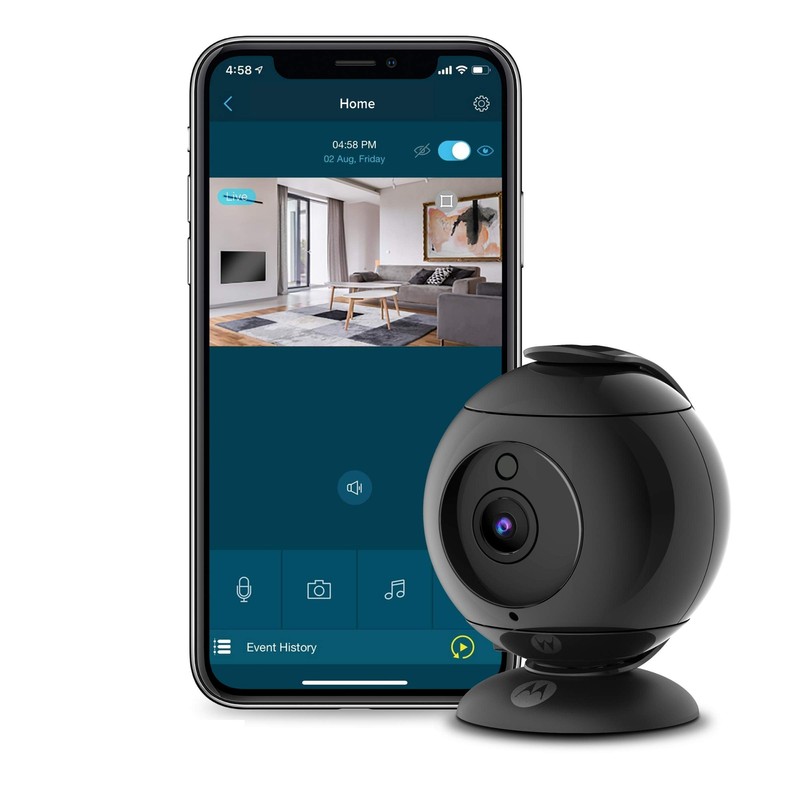
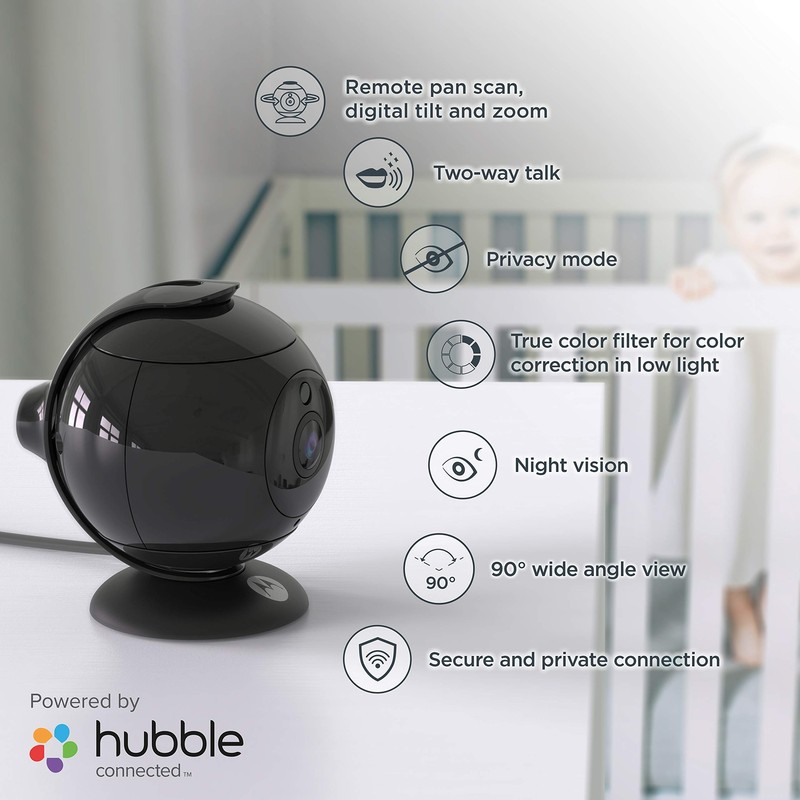
Motorola Focus89 Wireless Indoor Camera for Home Security Surveillance System with Sound and Motion Detection, Remote Pan, Digital Zoom, Two-Way Talk 1080p Video, Night Vision, Black When a user tries to access the Camera, our Hubble server authenticates the users identity and permits access to the Camera. Setup: Connect the Camera to the Power Adapter, then plug into an electrical outlet. The Camera must be within range of the Wi-Fi router with which you want to connect. Make sure the password of the router is available for entering during the in-app setup process. Note: You can only setup via a compatible smartphone or tablet and not via a PC. Power ON and Connect the Camera: Connect the power adapter to an electrical outlet and insert the plug into the micro USB socket on the back of the Camera Unit. The Cameras Red LED Flashes after the Camera has finished booting. Download Hubble for Motorola Monitors App from Android or Apple App store Run Hubble for Motorola Monitors App: Ensure that your device is connected to your Wi-Fi router. Run Hubble for Motorola Monitors App, enter your account information, read through the Terms of Service, then select By signing up you agree to our Terms & Conditions before you tap SIGNUP. To pair the camera - Press and hold the PAIR button on the back of the Camera Unit for 8 seconds. You will then hear a beep tone, followed by a voice prompt indicating that the Camera is ready for pairing. Tap DETECT CAMERA. The App will automatically search for your Camera, select your Camera from the list of networks as shown in the pictures A6 below. The LED on the camera will cycle from Red to Blue to Purple. Select your Wi-Fi Network, enter your password and then tap Connect. It will take a few minutes for the Camera to connect to the Wi-Fi network before showing the connection status. If connection fails, please tap Retry and repeat the steps. Features MONITOR ON THE GO - Want to check in on your loved ones at home? Watch the live video feed anytime on your smart device, whether you're in the kitchen or halfway across the globe.VIEW EVERY CORNER - Our Wi-Fi security camera can be remotely panned 360-degrees and zoomed in and out using your smart device. Its 90-degree wide angle view lets you see more parts of the room.STAY IN TOUCH - Fitted with a high-sensitivity microphone and a speaker, our home security camera system lets you have a quick chat with loved ones or speak soothing words to your fussy baby.SAFEGUARD YOUR HOME - This indoor security camera sends you real-time alerts for sound or motion detections. Upgrade your Hubble plan and unlock SmartZone, which lets you set up virtual boundaries and targeted areas around your home. Fast and Free Shipping You're already purchasing the item. Why pay additional for shipping, especially slow shipping? We get your order shipped out within 1-business day and delivered to your doorstep as quickly as possible. Competitive Pricing With our dynamic pricing model, our prices are always competitive. Our prices are some of the lowest that you will find on the internet. Rest assured that you're getting a good deal when purchasing with us. 30-day Money Back Guarantee We are committed to making sure that you leave this transaction satisfied. If you're unhappy with the product for any reason, you may return it back for your money-back or a replacement within 30 days. No questions asked!
Specifications
| Return Shipping Will Be Paid By | Seller |
| All Returns Accepted | Returns Accepted |
| Item Must Be Returned Within | 30 Days |
| Model | Does not apply |
| Type | Does not apply |
| MPN | FOCUS89 |
| Brand | Motorola |
| Style | SECURITY_CAMERA |
| Color | Black |
| Screen Size | 1 Camera |
| Size Type | Regular |
Motorola Focus89 Wireless Indoor Camera for Home Security Surveillance System with Sound and Motion Detection, Remote Pan, Digital Zoom, Two-Way Talk 1080p Video, Night Vision, Black When a user tries to access the Camera, our Hubble server authenticates the users identity and permits access to the Camera. Setup: Connect the Camera to the Power Adapter, then plug into an electrical outlet. The Camera must be within range of the Wi-Fi router with which you want to connect. Make sure the password of the router is available for entering during the in-app setup process. Note: You can only setup via a compatible smartphone or tablet and not via a PC. Power ON and Connect the Camera: Connect the power adapter to an electrical outlet and insert the plug into the micro USB socket on the back of the Camera Unit. The Cameras Red LED Flashes after the Camera has finished booting. Download Hubble for Motorola Monitors App from Android or Apple App store Run Hubble for Motorola Monitors App: Ensure that your device is connected to your Wi-Fi router. Run Hubble for Motorola Monitors App, enter your account information, read through the Terms of Service, then select By signing up you agree to our Terms & Conditions before you tap SIGNUP. To pair the camera – Press and hold the PAIR button on the back of the Camera Unit for 8 seconds. You will then hear a beep tone, followed by a voice prompt indicating that the Camera is ready for pairing. Tap DETECT CAMERA. The App will automatically search for your Camera, select your Camera from the list of networks as shown in the pictures A6 below. The LED on the camera will cycle from Red to Blue to Purple. Select your Wi-Fi Network, enter your password and then tap Connect. It will take a few minutes for the Camera to connect to the Wi-Fi network before showing the connection status. If connection fails, please tap Retry and repeat the steps. Features MONITOR ON THE GO – Want to check in on your loved ones at home? Watch the live video feed anytime on your smart device, whether you’re in the kitchen or halfway across the globe.VIEW EVERY CORNER – Our Wi-Fi security camera can be remotely panned 360-degrees and zoomed in and out using your smart device. Its 90-degree wide angle view lets you see more parts of the room.STAY IN TOUCH – Fitted with a high-sensitivity microphone and a speaker, our home security camera system lets you have a quick chat with loved ones or speak soothing words to your fussy baby.SAFEGUARD YOUR HOME – This indoor security camera sends you real-time alerts for sound or motion detections. Upgrade your Hubble plan and unlock SmartZone, which lets you set up virtual boundaries and targeted areas around your home. Fast and Free Shipping You’re already purchasing the item. Why pay additional for shipping, especially slow shipping? We get your order shipped out within 1-business day and delivered to your doorstep as quickly as possible. Competitive Pricing With our dynamic pricing model, our prices are always competitive. Our prices are some of the lowest that you will find on the internet. Rest assured that you’re getting a good deal when purchasing with us. 30-day Money Back Guarantee We are committed to making sure that you leave this transaction satisfied. If you’re unhappy with the product for any reason, you may return it back for your money-back or a replacement within 30 days. No questions asked!